Historical Measurement Guide (English Translation)
This page provides a faithful English rendering of the historical German guide for measurements in reverberation chambers.
The original historical German source remains available at: Hinweise zur Durchführung von Messungen in Modenverwirbelungskammern.
General
All program routines required for instrument control, acquisition, and data evaluation are integrated into the software. The software was implemented in Python (http://www.python.org/).
The architecture allows additional instrument classes to be integrated at any time when a test setup is expanded. Therefore, each specific measurement task can usually be implemented using a comparatively short measurement script that calls existing framework routines.
This script is called with a Python configuration file. A historical naming
convention used conf_* for such files. The configuration file contains all
measurement-relevant parameters, for example:
frequency ranges
step sizes
numbers of tuner positions
evaluation switches and persistence options
For immunity measurements it is recommended, whenever feasible, to include an automated equipment-under-test monitoring mechanism directly in the program flow.
The historical guide also recommends creating one separate folder per measurement campaign. This folder should contain:
the measurement script
the configuration file
optionally a
.dotfile describing the setup graph
During execution, result files and auxiliary outputs are written into this same
folder. If a setup graph is reused across multiple campaigns, the .dot file
can also be stored centrally and referenced by path from the configuration file.
Runtime modules, instrument drivers, and generic initialization files do not need to be copied into each campaign folder, because their base paths are configured globally.
A measurement run instantiates MSC in the calling script, either from a
fresh state or from existing pickle backup files. The MSC class is
responsible for:
communication with instruments
executing measurements
evaluating measurement data
autosave handling
output of raw and processed results
The setup topology (devices and signal paths) is obtained by parsing the
.dot file. After each completed stage, the global state can be serialized to
pickle and resumed later. This allows pause/resume workflows while keeping
full traceability of prior commands and results.
The measurement graph
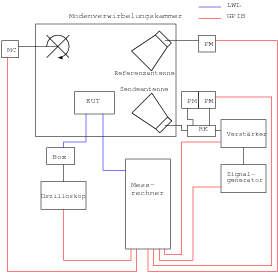
Before running measurements, the physical setup must be defined. The software requires this topology information for correct evaluation of acquired data.
Historically, setup descriptions were written as graphs in .dot files. A
representative example from the original guide is shown below.
digraph {
        node [fontsize=12];
        graph [fontsize=12];
        edge [fontsize=10];
        rankdir=LR;

        cbl_sg_amp [ini="M:\\umd-config\\smallMSC\\ini\\cbl_sg_amp.ini" condition="10e6 <= f <= 18e9"] [color=white, fontcolor=white ]
        cbl_amp_ant [ini="M:\\umd-config\\smallMSC\\ini\\cbl_amp_ant.ini" condition="10e6 <= f <= 4.2e9"] [color=white, fontcolor=white ]
        cbl_amp_pm1 [ini="M:\\umd-config\\smallMSC\\ini\\cbl_amp_pm1.ini" condition="10e6 <= f <= 4.2e9"] [color=white, fontcolor=white ]
        sg  [ini="M:\\umd-config\\smallMSC\\ini\\umd-gt-12000A-real.ini"] [style=filled,color=lightgrey]
        amp  [ini="M:\\umd-config\\smallMSC\\ini\\umd-ar-100s1g4-3dB-real-remote.ini" condition="800e6 <= f <= 4.2e9"]
        ant  [ini="M:\\umd-config\\smallMSC\\ini\\umd-rs-HF906_04.ini"] [style=filled,color=lightgrey]
        refant  [ini="M:\\umd-config\\smallMSC\\ini\\umd-rs-HF906_03.ini"] [style=filled,color=lightgrey]
        tuner [ini="M:\\umd-config\\smallMSC\\ini\\umd-sms60-real.ini" ch=1] [style=filled,color=lightgrey]
        pmref [ini="M:\\umd-config\\smallMSC\\ini\\umd-rs-nrvd-2-real.ini" ch=2] [style=filled,color=lightgrey]
        pm1  [ini="M:\\umd-config\\smallMSC\\ini\\umd-rs-nrvd-1-real.ini" ch=1] [style=filled,color=lightgrey]
        pm2  [ini="M:\\umd-config\\smallMSC\\ini\\umd-rs-nrvd-1-real.ini" ch=2] [style=filled,color=lightgrey]
        cbl_ant_pm2 [ini="M:\\umd-config\\smallMSC\\ini\\cbl_ant_pm2.ini" condition="10e6 <= f <= 4.2e9"] [color=white, fontcolor=white ]
        cbl_r_pmr [ini="M:\\umd-config\\smallMSC\\ini\\cbl_r_pmr.ini" condition="10e6 <= f <= 18e9"] [color=white, fontcolor=white ]
        att20 [ini="M:\\umd-config\\smallMSC\\ini\\att20-50W.ini" condition="10e6 <= f <= 18e9"] [color=white, fontcolor=white ]
        a1 [style=filled,color=lightgrey]
        a2 [style=filled,color=lightgrey]

        subgraph cluster_amp {
                label=amp
                amp_in -> amp_out [dev=amp what="S21"]
        }

        sg -> a1 [dev=cbl_sg_amp what="S21"] [label="cbl_sg_amp"]
        a1 -> amp_in
        amp_out -> a2
        a2 -> ant [dev=cbl_amp_ant what="S21"]  [label="cbl_amp_ant"]
        a2 -> pm1 [dev=cbl_amp_pm1 what="S21"]  [label="cbl_amp_pm1"]
        refant -> feedthru [dev=cbl_r_pmr what="S21"]  [label="cbl_r_pmr"]
        feedthru -> pmref [dev=att20 what="S21"]  [label="att20"]
        ant -> pm2 [dev=cbl_ant_pm2 what="S21"]  [label="cbl_ant_pm2"]

        subgraph "cluster_msc" {label=MSC; ant; refant}
        subgraph "cluster_pmoutput" {label="output"; pm1; pm2; pmref;}
}
DOT is used as the graph description language (historical reference: http://www.graphviz.org/).
After optional global graph visualization settings, all devices and cable elements are defined as nodes. In the historical example, this includes:
signal generator
several cable elements
attenuator
amplifier
transmit and reference antennas
stirrer (tuner)
power meters
Even cable and attenuation elements were often modeled as graph nodes (instead of only edges) to simplify parameter transfer into the measurement program.
The first attribute block on each node contains measurement-relevant parameters.
At minimum, this includes the path to the instrument .ini file. Additional
attributes may include operating conditions and actions to execute when
conditions become active.
The second attribute block can contain graph-visualization settings.
After node definitions, the actual setup topology is defined by directed edges, which describe how devices are connected and in which signal direction.
The initialization file
Each instrument is described by an .ini file. Historically, a file usually
contained:
a
[description]sectionone
[Init_Value]sectionone or more channel/device-specific sections
Typical fields in [description]:
description(type name)type(framework class)vendorserialnr/deviceid/ version datadriver(driver file)
Typical fields in [Init_Value]:
operating frequency range
step sizes
addresses (for example GPIB)
virtual/real flags
Historically, this structure was used both for instruments and for passive path elements such as couplers, attenuators, and cables, each with adapted fields.
Calibration measurements
This chapter describes the historical calibration workflow in reverberation chamber operation.
Preparations
Before calibration:
ensure instrument availability and addressing
prepare campaign directory and configuration files
prepare the setup graph
.dotfiledefine measurement/evaluation parameter blocks
The dot file
For calibration campaigns, the setup graph explicitly describes source path, amplifier path, antenna path, couplers, reference channels, and meter channels.
The graph model must match the real setup topology exactly, because transfer calculations and subsequent immunity evaluations depend on it.
Configuration file
The historical calibration configuration contains:
campaign meta settings
tuner settings and sweep ranges
autosave/output control
measurement kernel parameters
references to setup and instrument files
Typical practice was to keep one configuration file per campaign variant and use versioned filenames to preserve reproducibility.
Measurement
Calibration measurement execution typically follows:
initialize
MSCload setup graph and configuration
initialize instruments
run calibration sweep(s)
persist raw data and intermediate states
execute evaluation routines
persist processed results
Historical example screenshots:
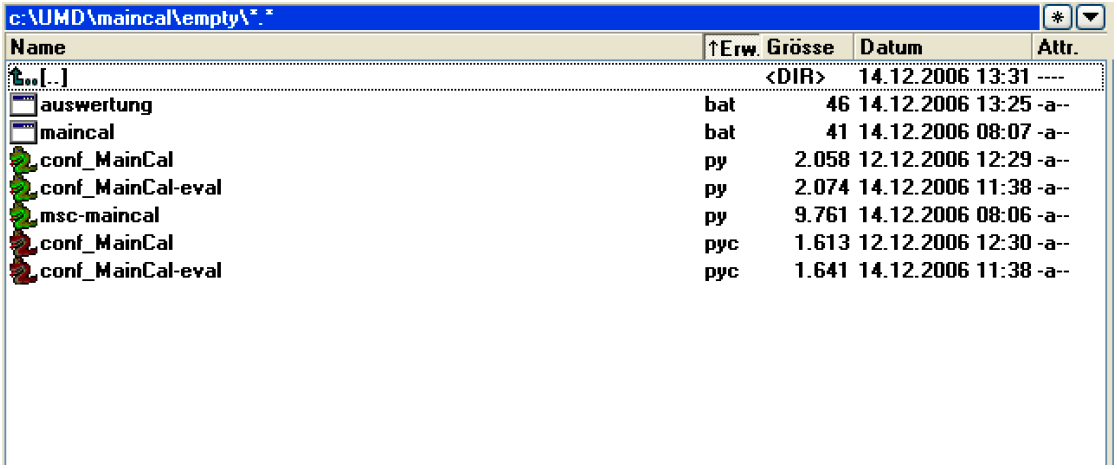
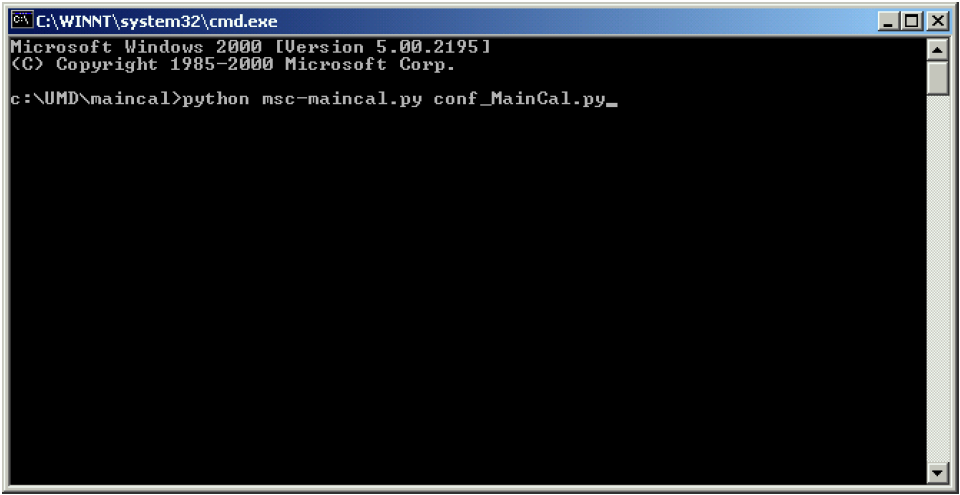
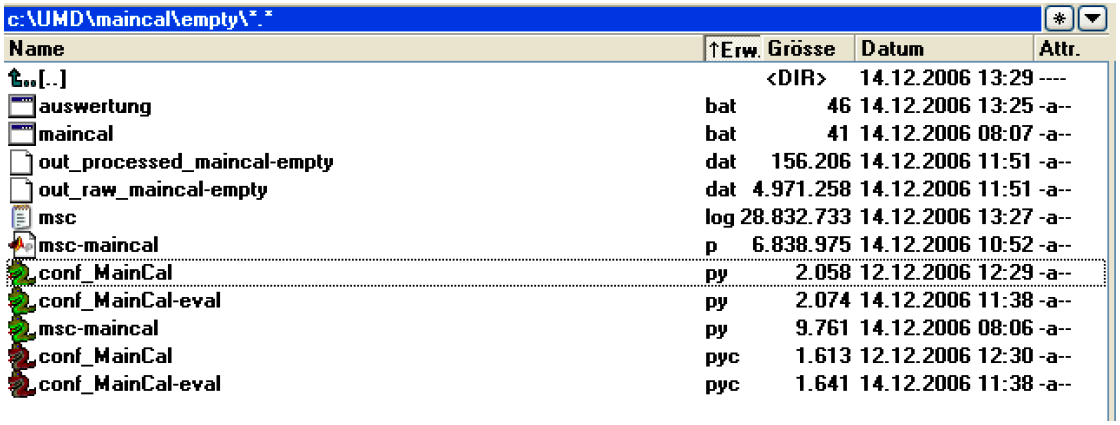
The measurement program msc-maincal.py
Historically, msc-maincal.py acted as orchestration script for calibration:
load configuration
create or restore
MSCexecute calibration routines
trigger persistence/evaluation
The script is intentionally lightweight and delegates most technical logic to the framework classes and kernels.
Immunity measurements
This chapter describes historical workflows for immunity-threshold campaigns.
Measurement sequence
Immunity campaigns build on prior calibration data and then run threshold searches over defined frequency and tuner/position spaces.
Historically, a run sequence included:
loading/validating calibration data
selecting immunity target profiles
running controlled source-level adaptation
logging threshold events and operating points
generating processed immunity reports
Preparations
Before immunity runs:
verify setup corresponds to calibration topology
verify all references to calibration artifacts
verify fail-safe limits and interlocks
define logging and autosave policies
The dot file
The immunity .dot graph remains the topology backbone for signal-path
resolution. The same graph model principles apply as in calibration, including
device/cable node attributes and edge direction definitions.
Configuration file
Immunity configuration historically extended calibration settings with:
threshold logic controls
interruption handling and retry behavior
kernel-specific tuning parameters
output/reporting configuration
Measurement
The immunity execution phase typically consists of:
initialize runtime and load persisted context
activate immunity kernel
run threshold search over frequency/position domain
store raw traces and event markers
execute post-processing
Historical run screenshots:
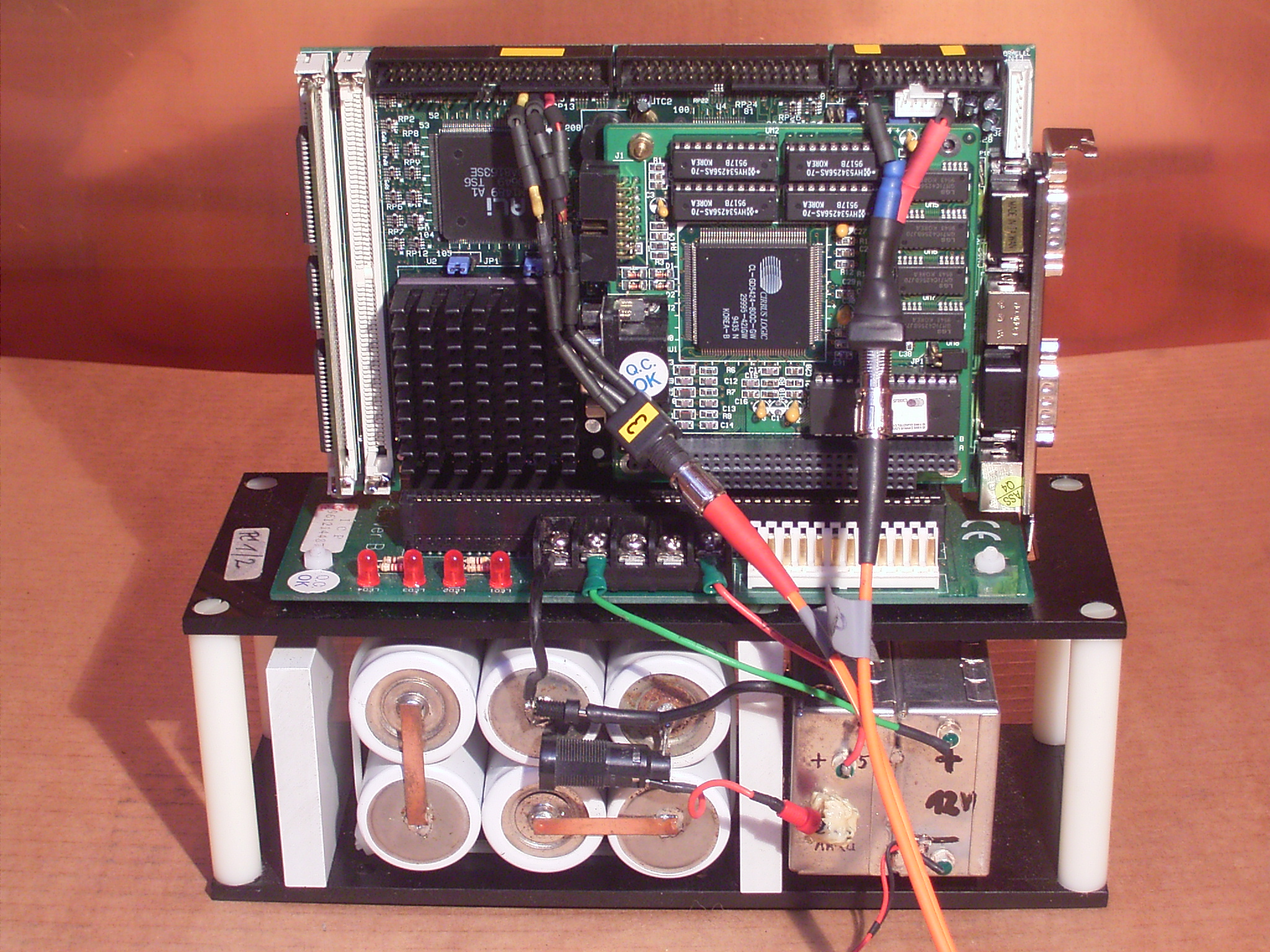
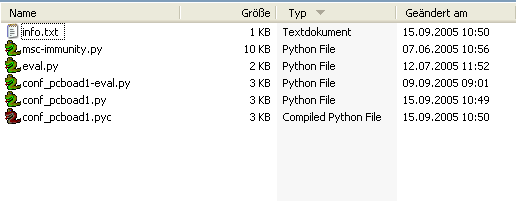
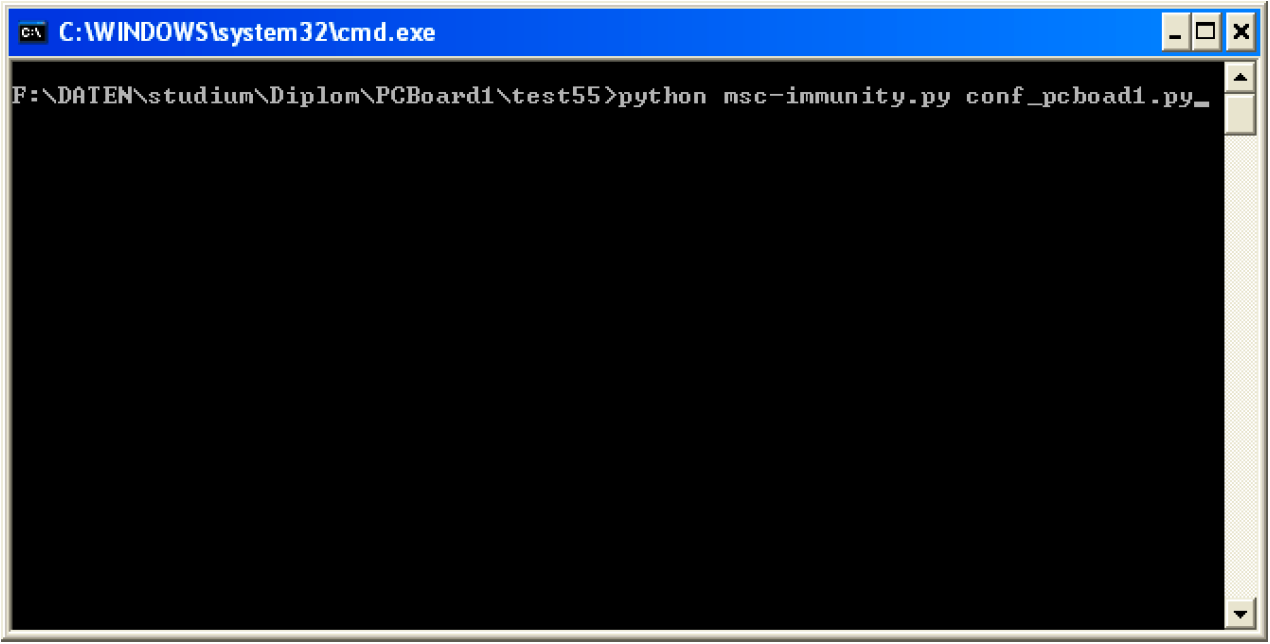
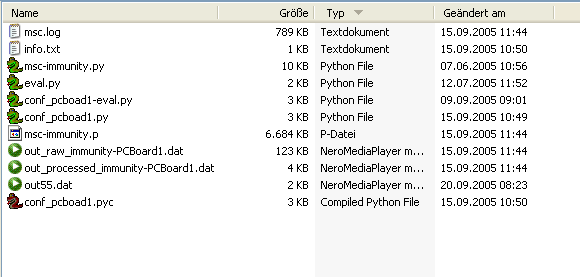
The measurement kernel ImmunityThreshholdTDS4.py
The historical immunity kernel controls iterative threshold determination:
set source and setup operating points
read measured response signals
apply threshold criteria
adjust levels/steps according to kernel logic
report threshold hits and status transitions
The historical naming in the source uses Threshhold spelling and is kept
unchanged for compatibility.
The measurement program msc-immunity.py
Historically, msc-immunity.py is the campaign script that orchestrates
immunity test execution:
parse campaign configuration
initialize or restore runtime state
invoke immunity kernel with configured ranges
trigger persistence and report generation
As with calibration scripts, orchestration is script-level while technical execution remains in framework classes and kernels.
Graph language references
DOT and data-file references used by this historical workflow:
Notes on historical context
This translation preserves historical workflow intent and terminology from the legacy document while using current English technical style.